Saturday, April 18, 2009

Centralizing modeless child dialog

Normally when we call the DoModal() function of a dialog, the dialog will created and displayed at the center of the parent dialog.


But when a modless dialog is displayed, the child dialog will be displayed at the top left portion of the parent dialog.


I noticed this when a codeproject user asked how to centralize a modeless child dialog. Initially I thought that MFC might be doing some thing in the DoModal() function. So I stepped into the DoModal() function. But I couldn't find any difference in the dialog creation in CDialog::DoModal and CDialog::Create().
Another difference that I know between a modal and modeless dialog is that, in the case of the modal dialog, the parent window will be disabled. MFC does this inside the DoModal() function. To try my luck I disabled the parent window before calling the Create function of dialog. Surprisingly it worked! The modeless child dialog came at the center of parent dialog.

So if you want to centralize a modeless dialog, just disable the parent dialog before create and re-enable it after the creation.
void CDialogBased2Dlg::OnBnClickedButton1()
{
EnableWindow( FALSE );
m_ChildDlg.Create( ChildDialog::IDD, this );
EnableWindow( TRUE );
m_ChildDlg.ShowWindow( SW_SHOW );
}

Saturday, December 20, 2008

Function to get the local system Administrator Name

A codeproject poster asked this question. He was already aware of the NetLocalGroupGetMembers function with which, was can the list of users in any groups in the system. How were he wasn't quite sure how to use it and there wasn't any sample code in the internet. So I wrote a sample and posted in codeproject and here is the copy of it.
LPLOCALGROUP_MEMBERS_INFO_1  pstMembersInfo = 0;
DWORD entriesread = 0;
DWORD totalentries = 0;
if( 0 != NetLocalGroupGetMembers( NULL, _T("Administrators"), 1, (LPBYTE*)
&pstMembersInfo,MAX_PREFERRED_LENGTH,
&entriesread, &totalentries, 0 ))
{
AfxMessageBox( _T("NetLocalGroupGetMembers failed !"));
return ;
}
for( DWORD dwIdx =0; dwIdx < entriesread; dwIdx ++ )
{
AfxMessageBox( pstMembersInfo[dwIdx].lgrmi1_name );
}
NetApiBufferFree( pstMembersInfo );

Monday, October 27, 2008

How to find whether the parent process is GUI or Console

This is not 100% fool proof. How ever in normal cases, this works great. This technique can be used to find out, whether the child application was launched from a GUI application or from a Console application.

if( AttachConsole( ATTACH_PARENT_PROCESS ))
{
AfxMessageBox( _T("Parent process is a console application"));
}
else
{
AfxMessageBox( _T("Parent process is not a console application"));
}

Tuesday, August 26, 2008

new with empty bracket

Have you ever wrote a statement like..

int *pnValue = new int[];

One of my friend asked me what will happen if the above statement is executed. Executed ??? I though the code won't even compile. Surprisingly it compile and even returned a pointer. Wow that was some thing unbelievable.

OK now the question is, what will be size of memory that pnValue points?

The two API's in windows that allocates and de allocates the memeory are HeapAlloc and HeepFree. The CRT functions malloc and free are actually wrappers the above API. The new, new[], delete, delete[] are again another wrapper around the malloc and free. So when ever you allocates some memory using new or new[], it will finally reach the HeapAlloc function. This function is defined as

LPVOID WINAPI HeapAlloc(
__in HANDLE hHeap,
__in DWORD dwFlags,
__in SIZE_T dwBytes
);


From the above definition, you can see that the third parameter to this function is the number of BYTES to be allocated . So to find out what "new int[]" returns, we can put a break point in the entry point of HeapAlloc and check the value of dwBytes( in dis assembly ).

when I tried, the dwBytes turned out be 1 !!! This one byte cannot even hold one int variable. That means any further operation using such a pointer will possibly crash.

Another interesting thing is "int *pnValue = new int[0];" also returns a pointer pointing a memory of 1 byte long.

Wednesday, August 20, 2008

How to open Popup Blocker Settings window of IE programmatically

How to open Popup Blocker Settings window of IE programmatically??

Well it is with the help of "DisplayPopupWindowManagementDialog" function in the "C:\WINDOWS\system32\inetcpl.cpl".

But here rather just showing a misterious function, I would like to explain the methods by which I found out the name of function.

This question was asked by some one in the codeproject and at that time I was also unaware of any function for this. How ever I felt it interesting so just decided to have a try.

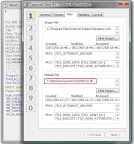
At first I took this "Popup Blocker Settings " dialog in the IE. My first intention was to find out the dll name which created the dialog. There is an application called WinID[^] with which we can find which dll created a perticular windows. In one of my previous post, I have explained How to find which dll / exe created a window.[^] using code. Below is a screenshot of what WinID showed me for the "Popup Blocker Settings" dialog .


It told me that "USER32.dll" has created the dialog. Liar... I was much sure that user32.dll isn't the real dll behind it. So this technique to find the dll didn't really work. So I had to find another way...

Every window has a thread associated with it. If you have the window handle, you can easily retirive the thread Id associated with it using the GetWindowThreadProcessId function. Any way I am not going to code for this. Tools like spy++, WinID displays the thread id of the window if we select a window using it. So the Thread ID displayed in Spy++ was 0xB94( 2964 in decimal ).

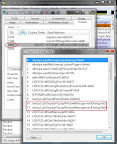
If we took the properties of a process in the process explorer, it will list all the threads in the process and each thread's call stack. So the thing next to do is to select the iexplorer process, select the thread with ID 2964 and took its call stack.


And in the call stack, there was only one un familiar dll and function the "inetcpl.cpl" and the DisplayPopupWindowManagementDialog function in it. So I found out the "inetcpl.cpl" file in the system32 folder and when double clicked on it, huiii it shows the "internet options" dialog.

The control panel files (.cpl ), are just a dll with a some special export functions( If you want to know more about control panel files I suggest you to read Paul DiLascia's Q&A[^] article ). With the dependency walker, I confirmed the presence of DisplayPopupWindowManagementDialog in it. But to call this function, I need to the find how it is declared, what all are the arguments etc. Fortunately some else has already document the function proto and with a google search, I was able to find it out. Happy ending!!!!

And ho ya here is the sample code..

typedef BOOL (WINAPI *DisplayPopupWindowP)( HANDLE hWnd, LPCTSTR lpCaption );
void CDialogBasedDlg::OnBnClickedButton1()
{
HMODULE hModule = LoadLibrary( _T("inetcpl.cpl") );
DisplayPopupWindowP DisplayPopupWindowManagementDialog =
( DisplayPopupWindowP)GetProcAddress(hModule,
"DisplayPopupWindowManagementDialog" );
if( !DisplayPopupWindowManagementDialog )
{
return;//error
}
DisplayPopupWindowManagementDialog( m_hWnd,
_T("www.Sitetounblock.com"));
}

Sunday, August 17, 2008

GetFinalPathNameByHandle API Hungs

GetFinalPathNameByHandle is an new API introduced in windows vista. As you can read from MSDN, the purpose of this API is to return the file name corresponding to a file handle .

Some months back, I have written a small utility OpenedFileFinder which list all the file that are opened under a certain folder. While writing this application,the main problem I came across was to get the file name from the handle. Initially I used a function called NtQueryObject(). But the problem with this API is that if we try to query the details for certain object such as pipes, directory handles etc, it will hangs. So in my application finally I have to introduce a driver to get round of this hanging problem. When I found the new GetFinalPathNameByHandle(), I was so happy and I thought at least I can avoid the driver in the vista. So I had a try on this API. But I came to find that this API also have the same hanging problem which I described earlier.

It seems the GetFinalPathNameByHandle is also using the same NtQueryObject() to get the file name and so it hangs. Any how, I have reported this bug to the microsoft connect. Let us see how they solve the problem.

Another API, that worth mentioning here is GetFileInformationByHandleEx(), which is also a new API introduced in Vista. Using this API also, I can get the file name from a handle. So I decided to check whether the same problem exists in this API also. Surprisingly it worked fine. And in MSDN also it is mentioned that it uses a driver for attaining the task. So I highly suggest every one to use GetFileInformationByHandleEx() API instead of GetFinalPathNameByHandle().

Thursday, June 19, 2008

How Local Static Variable Is Implemented in vc++

As every one knows, static variables are initialized only ones, even though it is declared in a function. In this post, I will explain how the compiler implements this.

OK let start with the storage of the static variables. Where do you think a static variable declared inside a function is stored? If your answer is on the stack, you are wrong. All static and global variables are stored in a section called ".data" in the exe. For example check the below code.
int g_GlobalVariable = 0x10;
static int nValue1 = 0x11;
void main()
{
static int nValue2 = 0x12;
// Take the address

int *pglobal = &g_GlobalVariable;
int *pValue1 = &nValue1;
int *pValue2 = &nValue2;
}
When executed, the values of pglobal, pValue1 and pValue2 were 0x408020, 0x408024 and 0x408028 respectively. Which means, all the three variables were stored in three consecutive locations. In the PE view we can see these variables stored in the ".data" section.


You can see that the "nValue2" variable is initialized at the compile time itself. so no instruction is generated by the compiler for a statement like static int nValue2 = 0x12;

So compiler did a nice job by setting the value to variable at the compile time itself. But that was a C type object. What if we declare a static C++ object inside a function. This time the compiler cannot initialize the variable at the compile time because the constructor need to be invoked to initialize a C++ object. Consider the below code

class TestClass
{
public:
TestClass()
{
m_nMemeberVar = 10;
}
int m_nMemeberVar;
};
TestClass& AFunction()
{
static TestClass cppObject;
return cppObject;
}

In the above code, the AFunction() function creates a static object of class TestClass and as you know the cppObject will be initialized only once. How does the compiler manages to do it? Well answer is compiler keeps a flag!!! I.e when the compiler sees a c++, static object is declared inside a function, it will create a global byte variable with value 0 and some addition instruction such that the constructor of the object will be called only if the value of the byte variable is 0 and it also set the value of the byte variable as 1. So from the next time onwards, the constructor will not be called. Below is the dis assembly for the statement static TestClass cppObject.

static TestClass cppObject;
// Zero out the eax register
00401E79 xor eax,eax
// Copy the flag variable to al register
00401E7B mov al,[`AFunction'::`2'::$S230 (00408104)]
00401E80 and eax,1
// Check eax equal to zero
00401E83 test eax,eax
// If it is not zero, go to end.
00401E85 jne AFunction+3Dh (00401ead)
// Copy the flag variable to the cl register
00401E87 mov cl,byte ptr [`AFunction'::`2'::$S230 (00408104)]
// cl = 1
00401E8D or cl,1
// Copy back the content of cl register to the flag variable
00401E90 mov byte ptr [`AFunction'::`2'::$S230 (00408104)],cl
// Call the constructor of cppObject
00401E96 mov ecx,offset theApp+0C8h (00408100)
00401E9B call TestClass::TestClass (00401ec0)